#WSL에서 실행
conda create -n headless_wan2gp python=3.11.3 -y
conda activate headless_wan2gp
python -m pip install --upgrade pip wheel setuptools
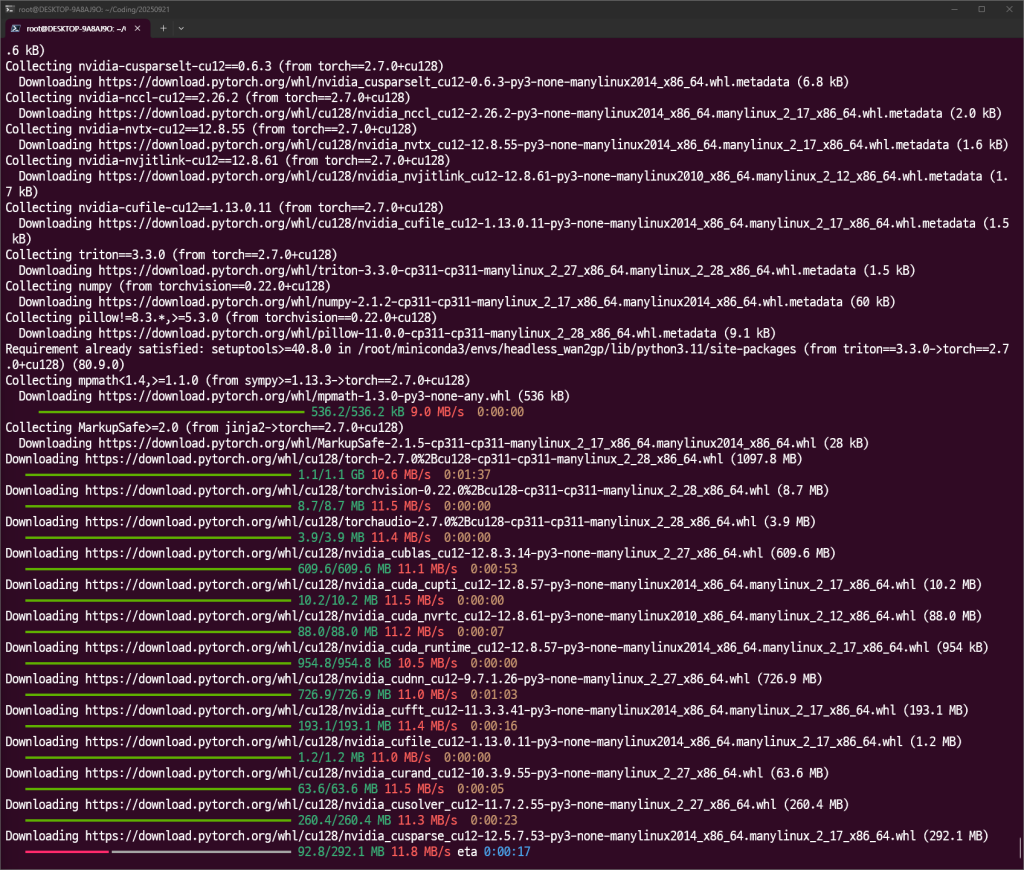
pip install torch==2.7.0+cu128 torchvision==0.22.0+cu128 torchaudio==2.7.0+cu128 \
  --index-url https://download.pytorch.org/whl/cu128
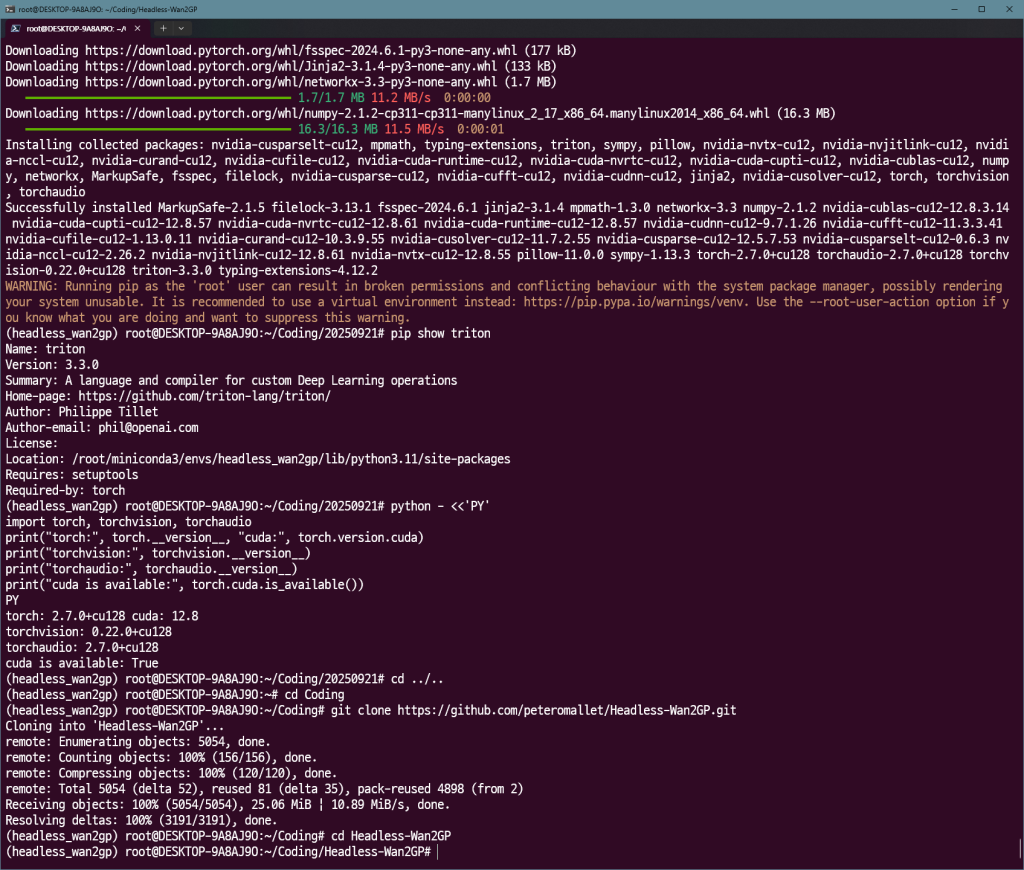
python - <<'PY'
import torch, torchvision, torchaudio
print("torch:", torch.__version__, "cuda:", torch.version.cuda)
print("torchvision:", torchvision.__version__)
print("torchaudio:", torchaudio.__version__)
print("cuda is available:", torch.cuda.is_available())
PY
#전부 12.8쪽이 나오면 됨.
git clone https://github.com/peteromallet/Headless-Wan2GP.git
cd Headless-Wan2GP
pip install flash-attn==2.7.4.post1 --no-build-isolation
git clone https://github.com/thu-ml/SageAttention
cd SageAttention
pip install .
cd ..
pip install -r Wan2GP/requirements.txt
pip install -r requirements.txt
nano ~/Coding/Headless-Wan2GP/Wan2GP/defaults/vace_v1_sd15_base.json
{
    "model": {
        "name": "VACE 1.3B (SD1.5)",
        "architecture": "vace_1.3B",
        "description": "Wan2.1 VACE 1.3B model based on Stable Diffusion 1.5.",
        "URLs": [
            "https://huggingface.co/DeepBeepMeep/Wan2.1/resolve/main/wan2.1_Vace_1.3B_mbf16.safetensors"
        ],
        "group": "vace"
    },
    "settings": {
        "resolution": "512x512",
        "video_length": 40,
        "num_inference_steps": 25,
        "guidance_scale": 7.5,
        "sample_solver": "euler",
        "video_prompt_type": "VP"
    }
}
#!/usr/bin/env python3
import sys
from pathlib import Path
from headless_wgp import WanOrchestrator
def test_vace_base_model(): # 함수 이름
# vace_v1_sd15_base 모델에 맞는 간소화된 파라미터
params = {
"video_prompt_type": "VM",
"resolution": "512x512", # 해상도를 조금 낮춰 VRAM 부담 감소
"video_length": 40, # 비디오 길이를 줄여 테스트 시간 단축
"num_inference_steps": 25, # 일반 모델에 적합한 스텝 수
"guidance_scale": 7.5, # 일반적인 CFG 스케일 값
"seed": 12345,
"negative_prompt": "blurry, low quality, distorted, static, overexposed",
"sample_solver": "dpmpp_2m_sde", # 추천 샘플러
"activated_loras": ["Wan2GP/loras/bloom.safetensors"],
"loras_multipliers": "1.0" # LoRA 강도를 기본값으로 조정
}
prompt = "zooming out timelapse of a plant growing as the sun fades and the moon moves across the sky and becomes the sun, timlapsiagro"
orchestrator = WanOrchestrator("Wan2GP")
try:
# 모델 이름을 다운로드한 파일명(확장자 제외)으로 변경
model_name = "vace_v1_sd15_base"
print(f"Loading {model_name}...")
orchestrator.load_model(model_name)
print("✅ Model loaded")
print("Running test with video1 and mask1...")
output_path = orchestrator.generate_vace(
prompt=prompt,
video_guide="samples/video1.mp4",
video_mask="samples/mask1.mp4",
**params
)
if output_path:
print(f"✅ Generated: {output_path}")
else:
print("❌ No output")
except Exception as e:
print(f"❌ Error: {e}")
finally:
orchestrator.unload_model()
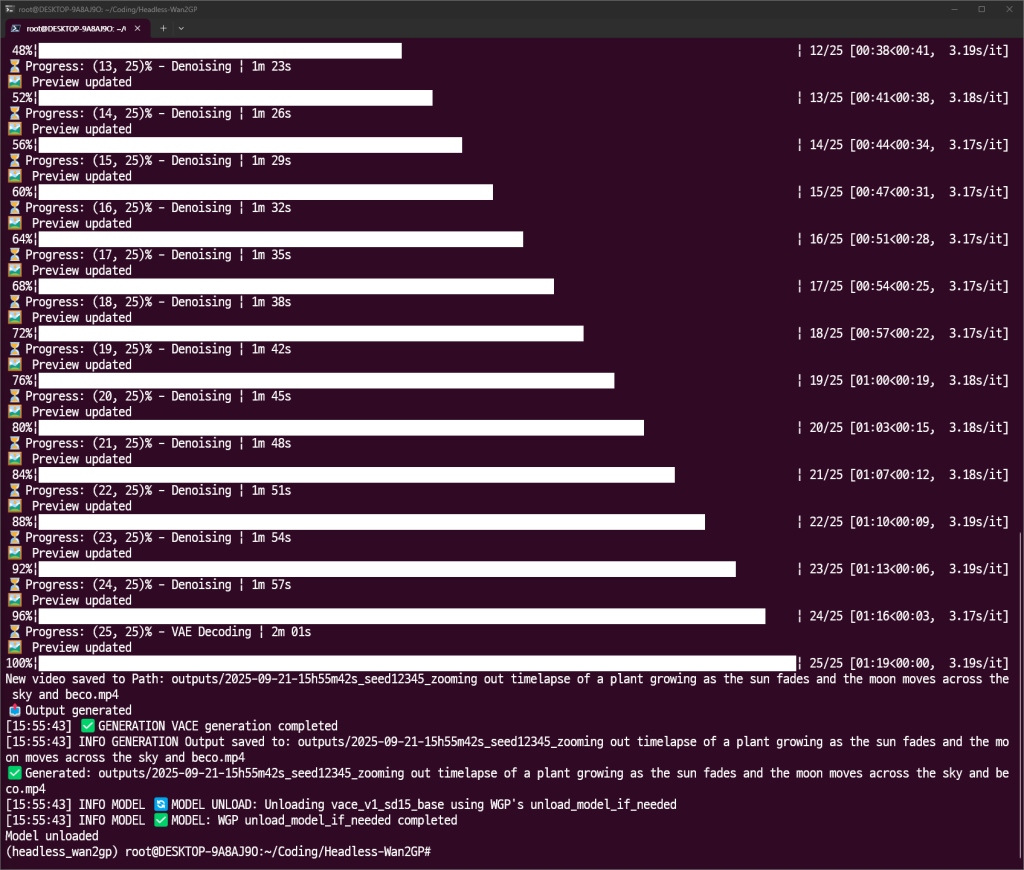
print("Model unloaded")
if __name__ == "__main__":
test_vace_base_model() # 수정한 함수 이름으로 호출huggingface-cli login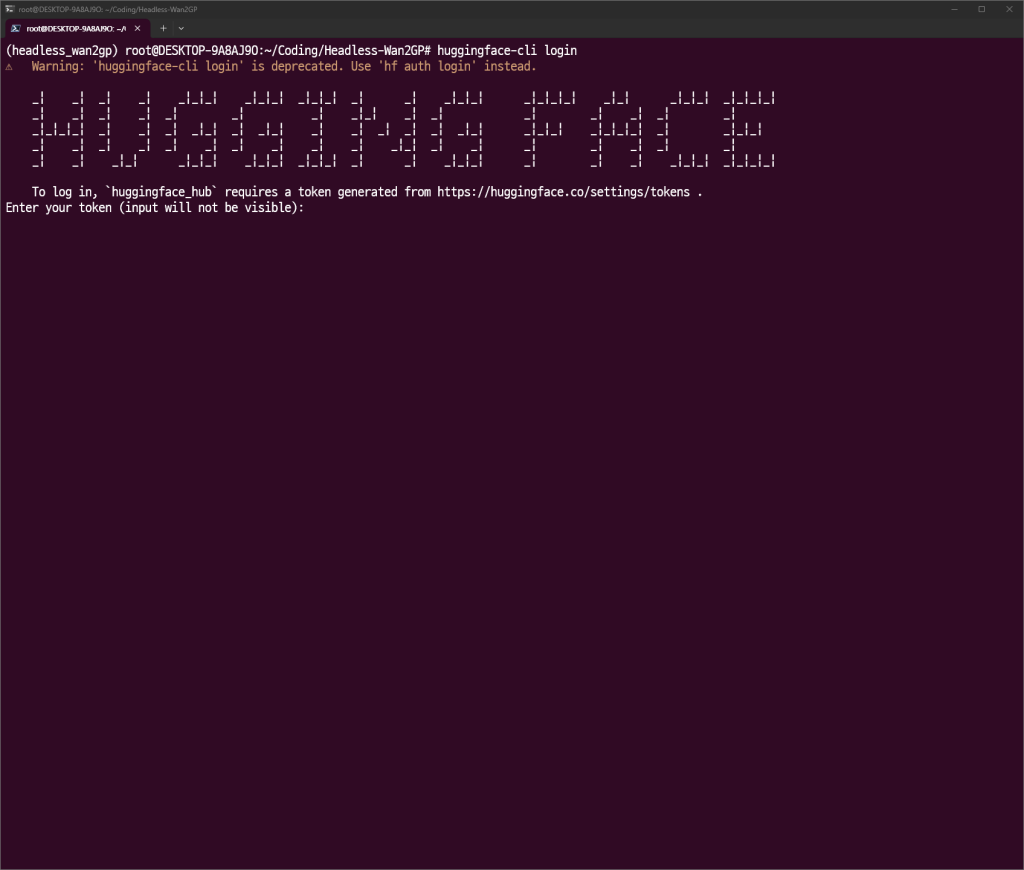
토큰 입력
import torch
import gc
from headless_wgp import WanOrchestrator
from typing import Dict, Any, Optional

def run_generation(
    prompt: str,
    model_name: str,
    video_guide_path: str,
    video_mask_path: Optional[str] = None,
    params: Optional[Dict[str, Any]] = None
) -> str:
    """
    Wan2GP 모델을 로드하여 비디오를 생성하고, 작업 완료 후 모델을 언로드하여 메모리를 해제합니다.

    Args:
        prompt (str): 비디오 생성을 위한 메인 프롬프트.
        model_name (str): 사용할 모델의 이름 (확장자 제외).
        video_guide_path (str): 가이드 비디오 파일의 경로.
        video_mask_path (Optional[str]): 마스크 비디오 파일의 경로 (선택 사항).
        params (Optional[Dict[str, Any]]): 해상도, 비디오 길이 등 추가 생성 파라미터.

    Returns:
        str: 생성된 비디오 파일의 경로.

    Raises:
        Exception: 비디오 생성 중 오류 발생 시.
    """
    if params is None:
        # 기본 파라미터 설정 (필요에 따라 수정)
        # params = {
        #     "video_prompt_type": "VM", #비디오 마스킹 모드?
        #     "resolution": "512x512",
        #     "video_length": 40,
        #     "num_inference_steps": 25,
        #     "guidance_scale": 7.5,
        #     "seed": 12345,
        #     "negative_prompt": "blurry, low quality, distorted, static, overexposed",
        #     "sample_solver": "euler",
        #     "activated_loras": ["Wan2GP/loras/bloom.safensors"],
        #     "loras_multipliers": "1.0"
        # }
        test_params = {
            "video_prompt_type": "P",  # 👈 'VM'에서 'P' (Pose)로 변경하여 포즈 추출 기능 활성화
            "video_length": 160,        # 춤 영상 길이에 맞게 조절
            "resolution": "512x512",
            "num_inference_steps": 50,
            "seed": 42,
            "negative_prompt": "blurry, low quality, distorted, static, overexposed",
            "sample_solver": "euler",
            "activated_loras": ["Wan2GP/loras/bloom.safensors"],
            "loras_multipliers": "1.0"
        }

    # Wan2GP 오케스트레이터 초기화
    orchestrator = WanOrchestrator("Wan2GP")

    print("비디오 생성을 시작합니다...")

    try:
        # 1. 모델 로드
        print(f"모델 로딩: {model_name}...")
        orchestrator.load_model(model_name)
        print("✅ 모델 로딩 완료")

        # 2. 비디오 생성 실행
        print(f"프롬프트로 비디오 생성 중: '{prompt[:50]}...'")
        output_path = orchestrator.generate_vace(
            prompt=prompt,
            video_guide=video_guide_path,
            video_mask=video_mask_path,
            **params
        )

        if output_path:
            print(f"✅ 비디오 생성 완료: {output_path}")
            return output_path
        else:
            raise RuntimeError("비디오 생성에 실패했지만 오류가 발생하지 않았습니다.")

    except Exception as e:
        print(f"❌ 비디오 생성 중 오류 발생: {e}")
        # 오류를 다시 발생시켜 상위 호출자(API 서버)가 처리하도록 함
        raise e

    finally:
        # 3. 모델 언로드 및 메모리 해제 (가장 중요)
        # 이 블록은 try문에서 성공하든, 오류가 발생하든 항상 실행됩니다.
        print("모델 언로드 및 메모리 정리를 시작합니다...")
        orchestrator.unload_model()

        # 가비지 컬렉션을 통해 파이썬 메모리 정리
        gc.collect()

        # PyTorch CUDA 캐시 메모리 정리
        if torch.cuda.is_available():
            torch.cuda.empty_cache()

        print("✅ 모델 언로드 및 메모리 정리 완료.")


if __name__ == "__main__":
    # 이 스크립트를 직접 실행할 때만 아래 코드가 동작합니다.
    print("🚀 'wan2gp_inference.py' 단독 테스트를 시작합니다.")

    # --- 테스트 설정 ---
    # 여기에 테스트하고 싶은 값을 입력하세요.
    test_model = "vace_v1_sd15_base"
    #test_prompt = "A black muscle car speeds down a highway into a giant, swirling cyan vortex in the sky of a dark, gothic city. The style is a high-contrast, energetic digital painting with supernatural creatures lurking in the shadows."
    # 🕺 여기에 새로 만들고 싶은 캐릭터와 배경을 묘사해 보세요.
    test_prompt = "a knight in shining armor doing the same dance, medieval castle background"

    test_guide_video = "samples/output.mp4" # 실제 존재하는 파일 경로여야 합니다.
    test_mask_video = "samples/mask1.mp4"   # 실제 존재하는 파일 경로여야 합니다.

    # 기본 파라미터 외에 변경하고 싶은 값이 있다면 여기에 정의합니다.
    # 테스트 시간을 줄이기 위해 video_length를 짧게 설정하는 것을 추천합니다.
    test_params = {
        "video_length": 160, # 짧은 길이로 빠른 테스트
        "resolution": "512x512",
        "num_inference_steps": 50,
        "seed": 1354567
    }
    # --------------------

    try:
        # 정의된 테스트 값으로 비디오 생성 함수를 호출합니다.
        output_file = run_generation(
            prompt=test_prompt,
            model_name=test_model,
            video_guide_path=test_guide_video,
            video_mask_path=test_mask_video,
            params=test_params
        )
        print(f"\n✅ 테스트 성공! 생성된 파일 경로:")
        print(f"   {output_file}")

    except FileNotFoundError as e:
        print(f"\n❌ 테스트 실패: 파일을 찾을 수 없습니다.")
        print(f"   '{test_guide_video}' 또는 '{test_mask_video}' 파일이 존재하는지 확인해주세요.")
        print(f"   오류 상세: {e}")
    except Exception as e:
        print(f"\n❌ 테스트 중 오류가 발생했습니다: {e}")