VRAM많은 기기에서 시도해보세요. 저는 안됨. 일단 기록만 남김
WSL에서
wget https://repo.anaconda.com/miniconda/Miniconda3-latest-Linux-x86_64.sh -O miniconda.sh
bash miniconda.sh
source ~/.bashrc
conda tos accept --override-channels --channel https://repo.anaconda.com/pkgs/main
conda tos accept --override-channels --channel https://repo.anaconda.com/pkgs/r
conda create -n fastvideo -y python=3.12
conda activate fastvideo
wget https://developer.download.nvidia.com/compute/cuda/repos/ubuntu2204/x86_64/cuda-keyring_1.1-1_all.deb
sudo dpkg -i cuda-keyring_1.1-1_all.deb
echo "deb [signed-by=/usr/share/keyrings/cuda-archive-keyring.gpg] https://developer.download.nvidia.com/compute/cuda/repos/ubuntu2204/x86_64/ /" | sudo tee /etc/apt/sources.list.d/cuda.list
sudo apt update
sudo apt install cuda-12-8
export PATH=/usr/local/cuda-12.8/bin:$PATH
export LD_LIBRARY_PATH=/usr/local/cuda-12.8/lib64:$LD_LIBRARY_PATH
source ~/.bashrc
python -m pip install --index-url https://download.pytorch.org/whl/cu128 \
  torch==2.7.1 torchvision==0.22.1 torchaudio==2.7.1

python - <<'PY'
import torch, torchaudio, torchvision
print("torch:", torch.__version__, "cuda:", torch.version.cuda)
print("torchaudio:", torchaudio.__version__)
print("torchvision:", torchvision.__version__)
print("cuda is available:", torch.cuda.is_available())
PY

pip install flash-attn==2.7.4.post1 --no-build-isolation
pip install st_attn==0.0.4
git clone https://github.com/hao-ai-lab/FastVideo.git
cd FastVideo
cd csrc/attn/video_sparse_attn/
git submodule update --init --recursive
python setup.py install
pip install fastvideo
python csrc/attn/tests/test_vsa.py
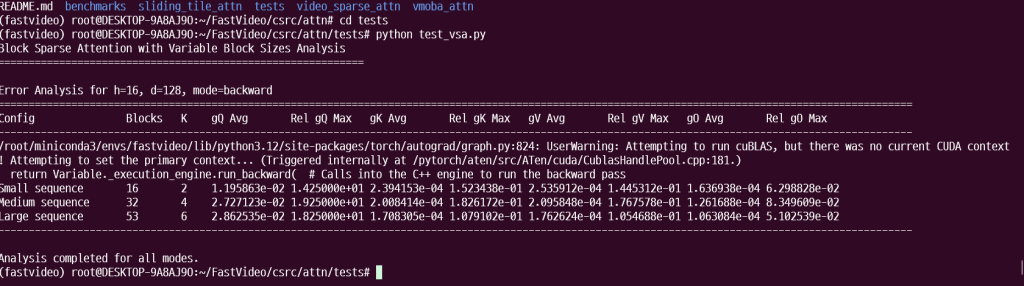
git clone https://github.com/thu-ml/SageAttention.git
cd SageAttention
python setup.py install
#벤치마크
# Without TeaCache
start_time = time.perf_counter()
generator.generate_video(prompt="Your prompt", enable_teacache=False)
standard_time = time.perf_counter() - start_time

# With TeaCache
start_time = time.perf_counter()
generator.generate_video(prompt="Your prompt", enable_teacache=True)
teacache_time = time.perf_counter() - start_time

print(f"Standard generation: {standard_time:.2f} seconds")
print(f"TeaCache generation: {teacache_time:.2f} seconds")
print(f"Speedup: {standard_time/teacache_time:.2f}x")
#example.py
from fastvideo import VideoGenerator
def main():
# Create a video generator with a pre-trained model
generator = VideoGenerator.from_pretrained(
"Wan-AI/Wan2.1-T2V-1.3B-Diffusers",
num_gpus=1, # Adjust based on your hardware
)
# Define a prompt for your video
prompt = "A curious raccoon peers through a vibrant field of yellow sunflowers, its eyes wide with interest."
# Generate the video
video = generator.generate_video(
prompt,
return_frames=True, # Also return frames from this call (defaults to False)
output_path="my_videos/", # Controls where videos are saved
save_video=True
)
if __name__ == '__main__':
main()python example.pysudo nano ~/.bashrc
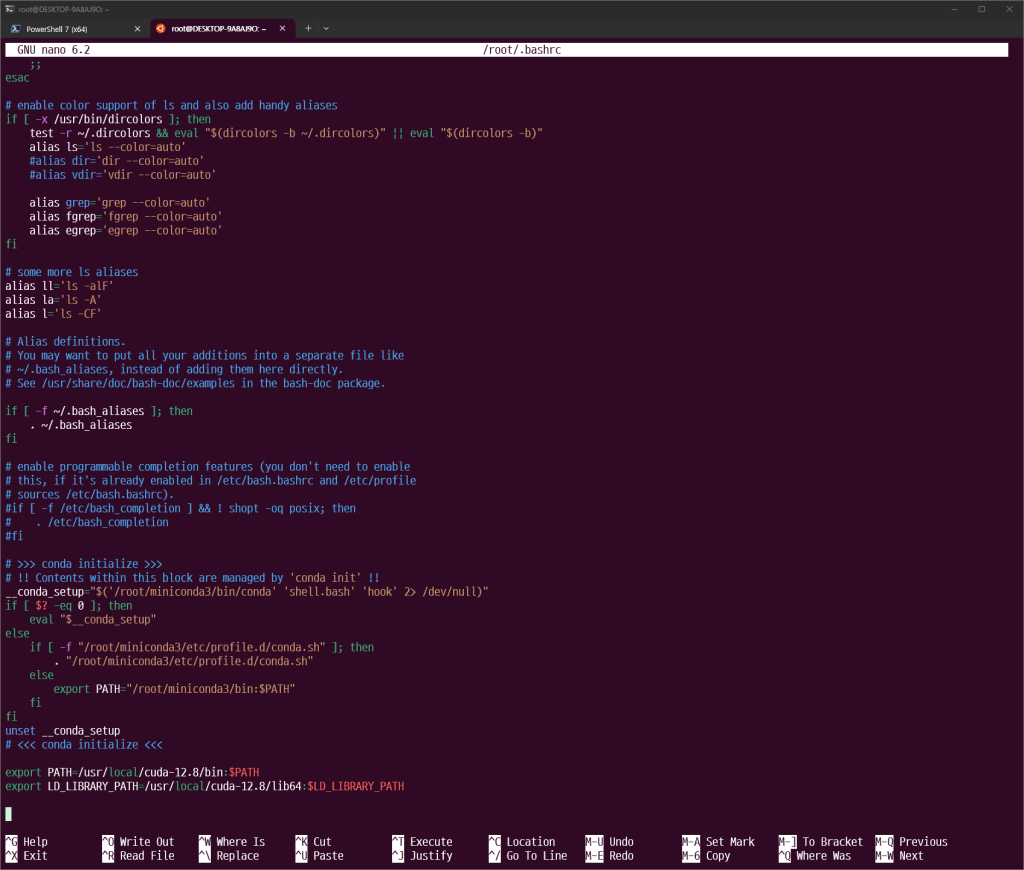
다음과 같이
export PATH=/usr/local/cuda-12.8/bin:$PATH
export LD_LIBRARY_PATH=/usr/local/cuda-12.8/lib64:$LD_LIBRARY_PATH
맨 밑에 추가
ctrl + o , ctrl + x
source ~/.bashrc
nvcc --version