git clone https://github.com/suno-ai/bark.git
conda create -n bark -y python==3.11.3
conda activate bark
cd bark
pip install pandas pydantic
pip install timm>=1.0.17
pip install aiofiles==23.2.1
pip install matplotlib
pip install torch==2.6.0 torchvision==0.21.0 torchaudio==2.6.0 --index-url https://download.pytorch.org/whl/cu124
pip install https://github.com/kingbri1/flash-attention/releases/download/v2.7.4.post1/flash_attn-2.7.4.post1+cu124torch2.6.0cxx11abiFALSE-cp311-cp311-win_amd64.whl
pip install xformers==0.0.29.post3 --index-url=https://download.pytorch.org/whl/cu124
pip install https://huggingface.co/madbuda/triton-windows-builds/resolve/main/triton-3.0.0-cp311-cp311-win_amd64.whl
pip install https://github.com/woct0rdho/SageAttention/releases/download/v2.1.1-windows/sageattention-2.1.1+cu126torch2.6.0-cp311-cp311-win_amd64.whl
pip install huggingface_hub[hf_xet]
pip install .
conda install -c anaconda ipython
#test.py
import torch.serialization # PyTorch 안전 목록 관리 모듈
import numpy.core.multiarray # 필요한 numpy 모듈 임포트 (빠뜨리기 쉬운 부분 보완)
# 안전 목록에 numpy.core.multiarray.scalar 추가
torch.serialization.add_safe_globals([numpy.core.multiarray.scalar])
from bark import SAMPLE_RATE, generate_audio, preload_models
from scipy.io.wavfile import write as write_wav
from IPython.display import Audio
# download and load all models
preload_models()
# generate audio from text
text_prompt = """
Hello, my name is Suno. And, uh — and I like pizza. [laughs]
But I also have other interests such as playing tic tac toe.
"""
audio_array = generate_audio(text_prompt)
# save audio to disk
write_wav("bark_generation.wav", SAMPLE_RATE, audio_array)
# play text in notebook
Audio(audio_array, rate=SAMPLE_RATE)python test.py

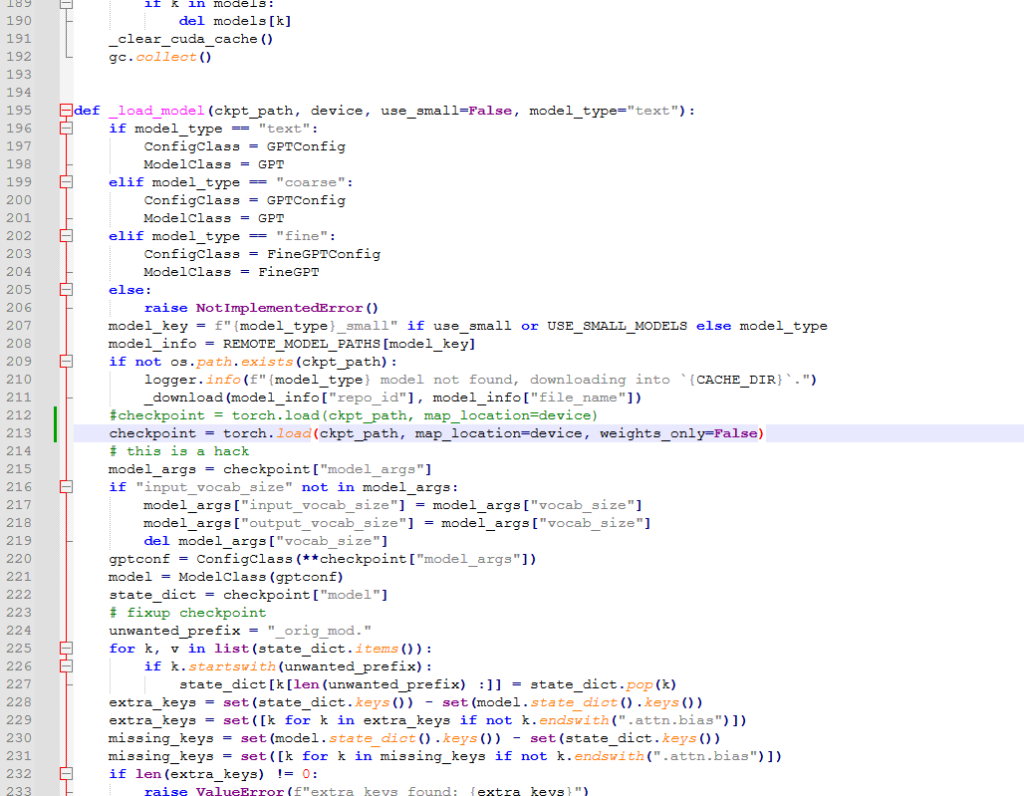
bark/bark/generation.py 의 212번째 줄 근처의 내용을
checkpoint = torch.load(ckpt_path, map_location=device, weights_only=False)으로 변경한다.
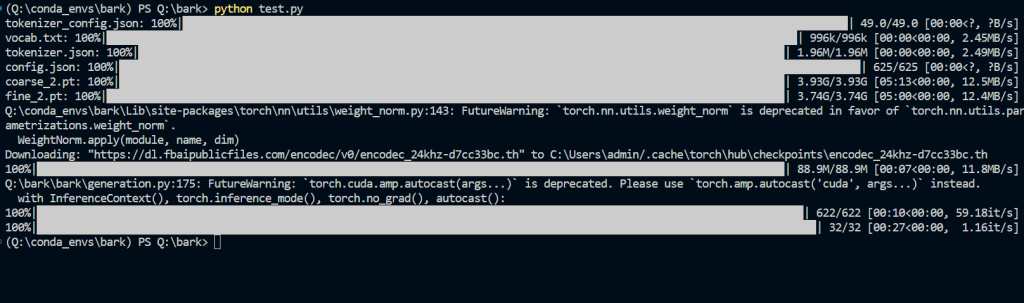
text_prompt = """
    추석은 내가 가장 좋아하는 명절이다. 나는 며칠 동안 휴식을 취하고 친구 및 가족과 시간을 보낼 수 있습니다.
"""
로 바꿔본다.
text_prompt = """
    ♪ In the jungle, the mighty jungle, the lion barks tonight ♪
"""
import os
os.environ["SUNO_OFFLOAD_CPU"] = "True"
os.environ["SUNO_USE_SMALL_MODELS"] = "True"


import torch.serialization  # PyTorch 안전 목록 관리 모듈
import numpy.core.multiarray  # 필요한 numpy 모듈 임포트 (빠뜨리기 쉬운 부분 보완)

# 안전 목록에 numpy.core.multiarray.scalar 추가
torch.serialization.add_safe_globals([numpy.core.multiarray.scalar])

from bark import SAMPLE_RATE, generate_audio, preload_models
from scipy.io.wavfile import write as write_wav
from IPython.display import Audio

# download and load all models
preload_models()

# generate audio from text
text_prompt = """
    ♪ In the jungle, the mighty jungle, the lion barks tonight ♪
"""
audio_array = generate_audio(text_prompt)

# save audio to disk
write_wav("bark_generation.wav", SAMPLE_RATE, audio_array)

# play text in notebook
Audio(audio_array, rate=SAMPLE_RATE)
다음과 같이 몇 줄을 추가해주면 low vram으로 사용가능하다. 12GB 미만의 VRAM을 가진 GPU에서도 구동 가능하다고 한다. 근데 살짝 느리다.